Abfahrt – Live Departures
On your display
Live public transport departures for your stop: line colours, real-time countdown, delays, cancellations, line and destination filter.
- Topic
- Miscellaneous
- Includes
- Script
Runs on
- Runs on 32×8 (TC001 & DIY) 32×8 (TC001 & DIY) version
- Runs on 52×16 (TC002)
- Does not run on 32×8 with AWTRIX 3 (TC001 & DIY) Made for AWTRIX NG.
Choose your display in the next step.
Script description
Shows the next departures of any public transport stop on your clock, with real-time data from Transitous. Works in Germany and many other countries.
What you see
On the TC001 (32×8)
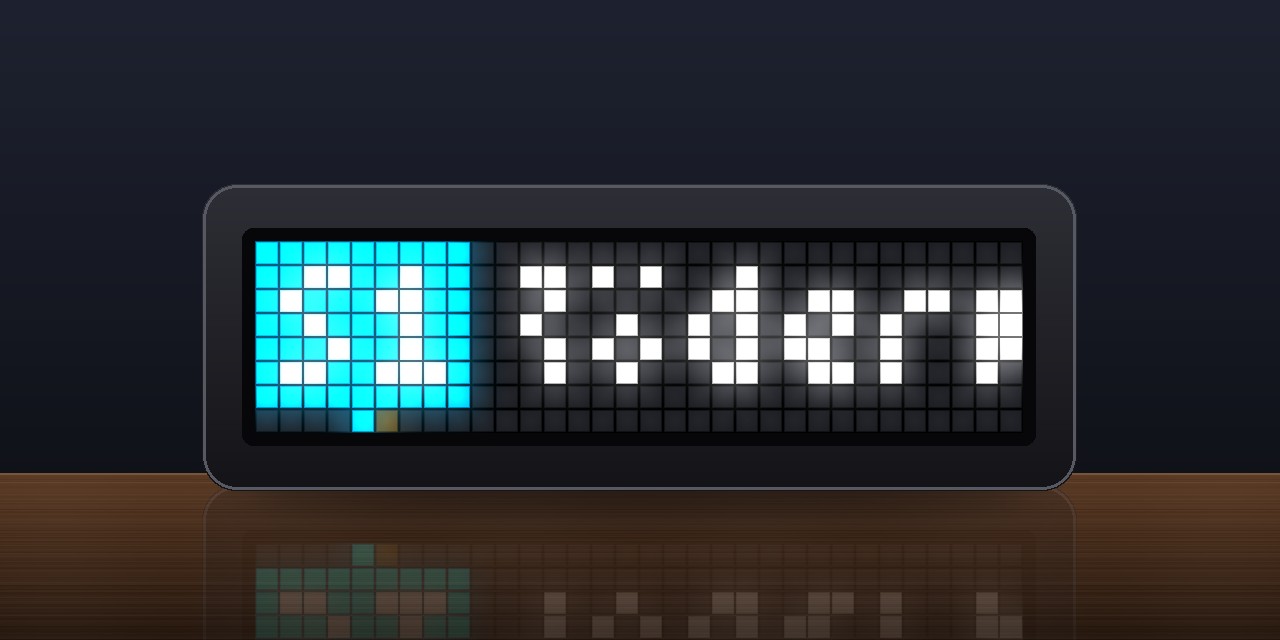
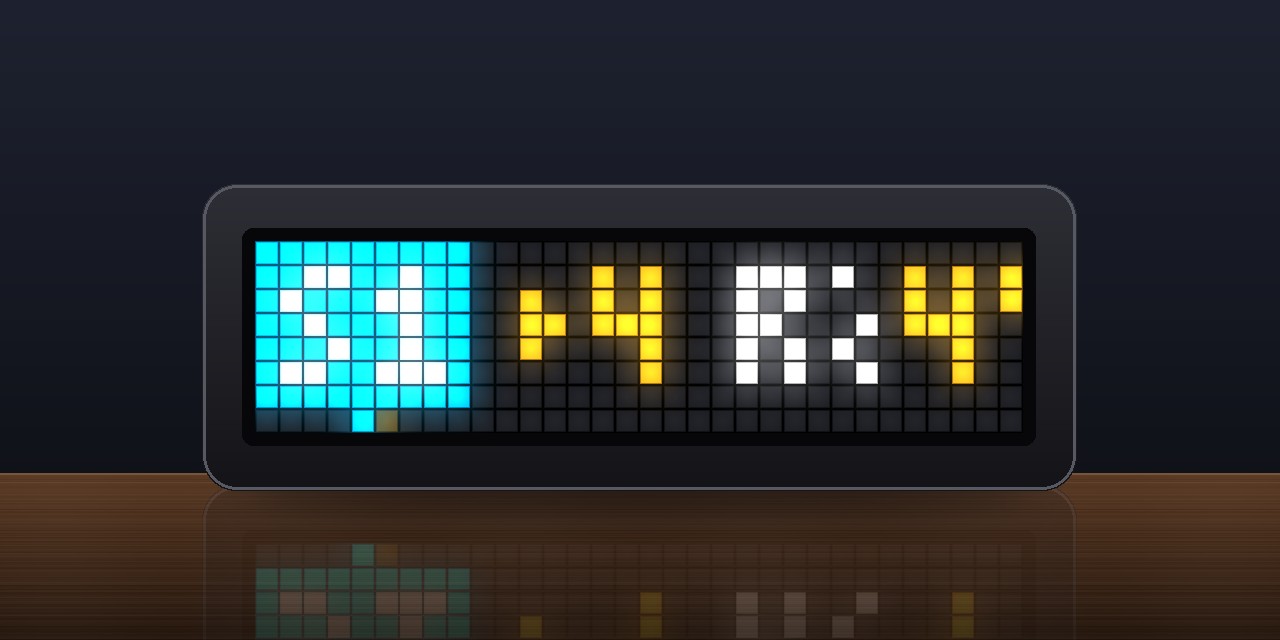
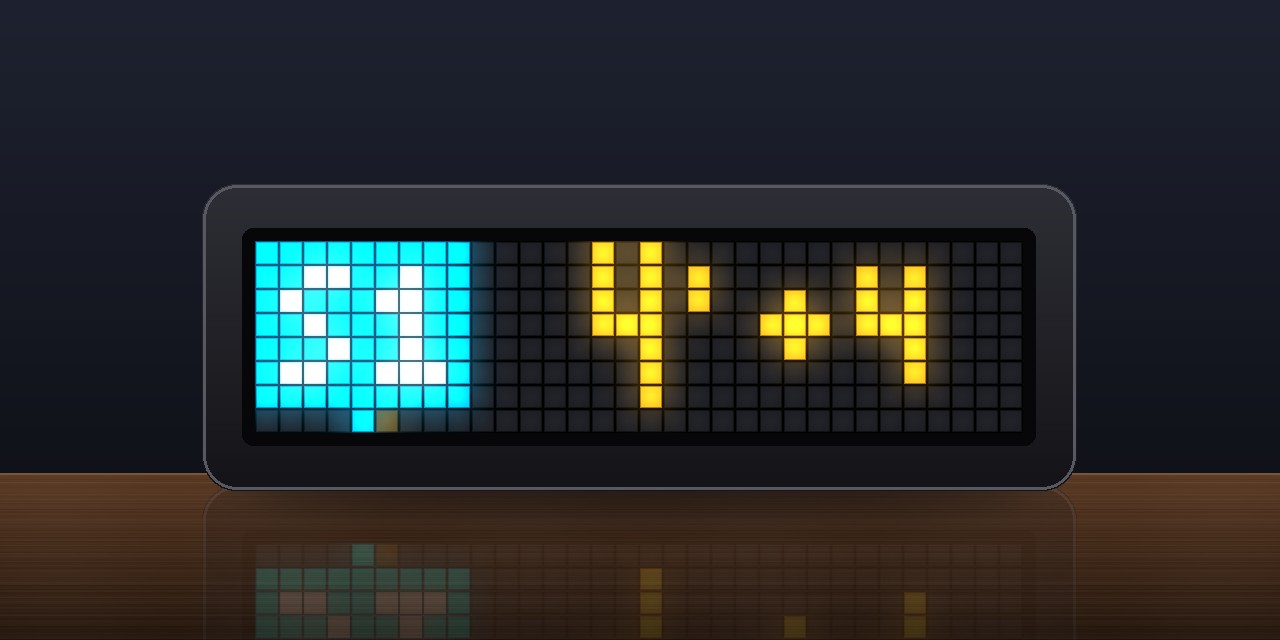
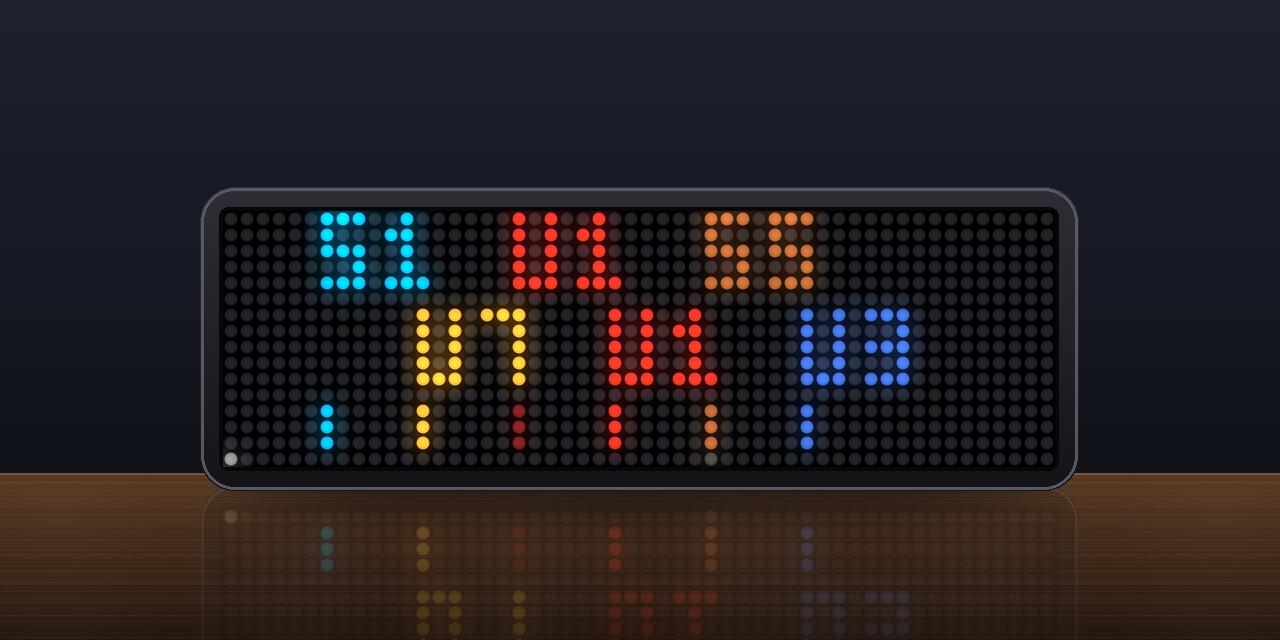
- Board layout (default): each departure gets a time line (minutes, delay like
+7) and a destination line. The lines roll upwards like a station departure board. The line badge stays put within a departure. - Compact layout: line, destination and minutes in one row.
- Cancellations in red, the minutes struck through.
On the TC002 (52×16)
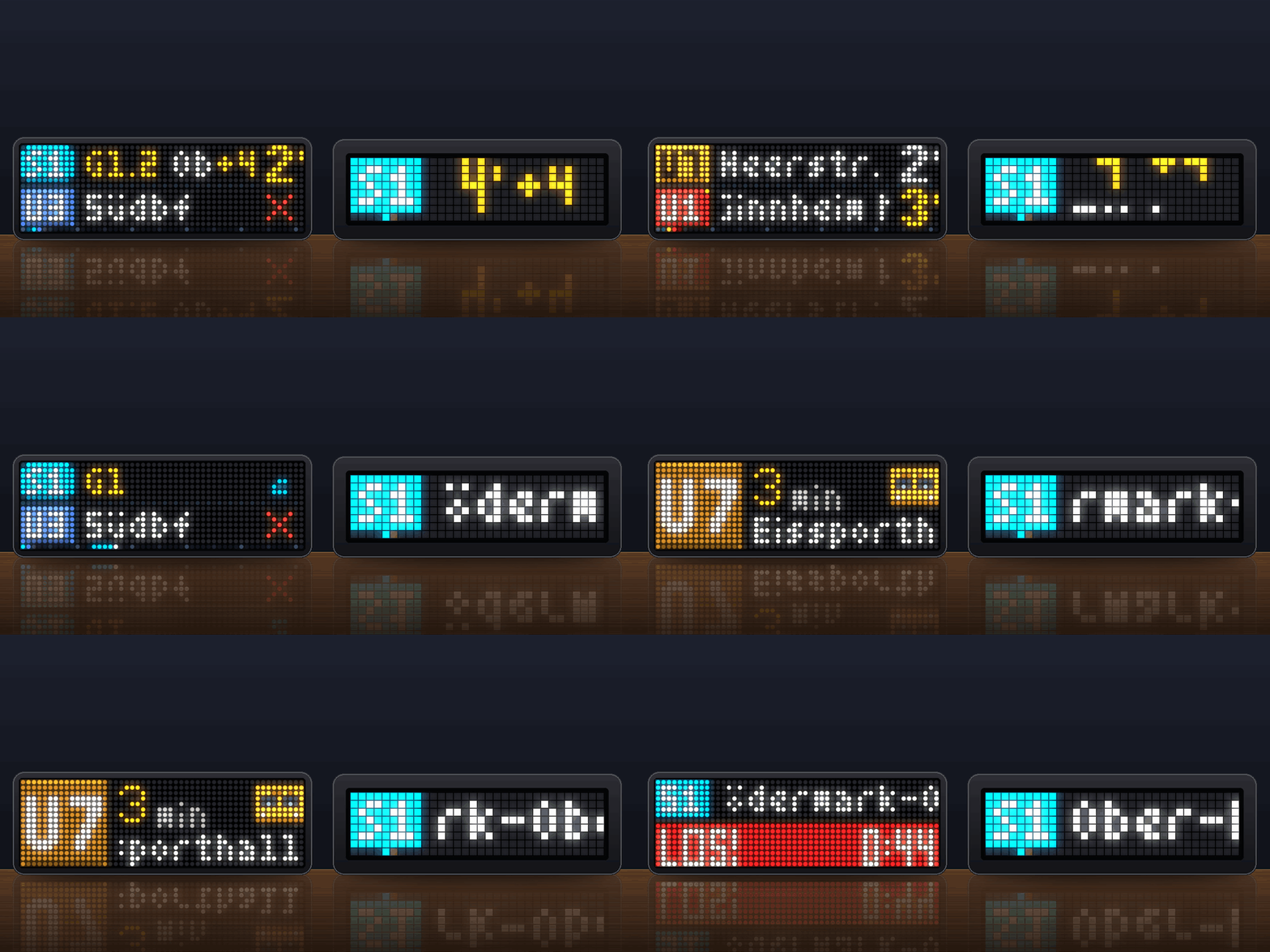
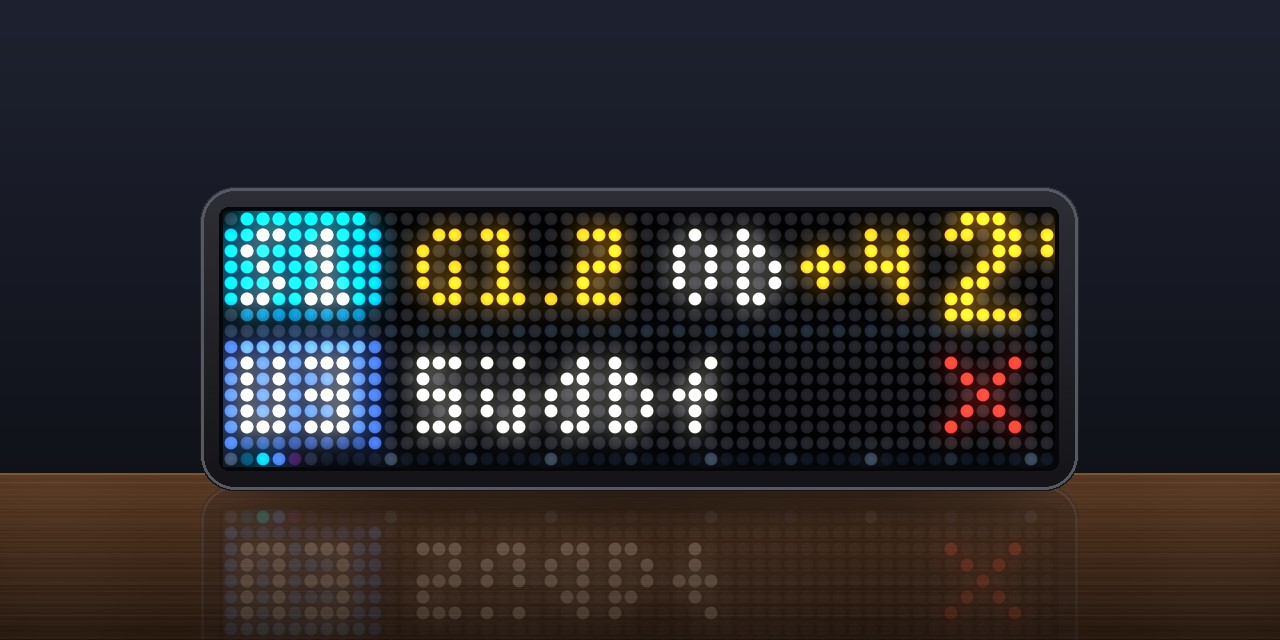
- Board (default): two departures at a time, each in its own row: line badge, destination, minutes, with a dotted line between the rows. When the board moves on, it turns over like an old station board with split flaps, cell by cell from the left, each letter flipping through a random one first (setting Page change: flaps or rolling rows).
- Minutes in large digits that roll over like a counter when they count down. The delay sits small in orange next to them (
+4). A cancelled train is greyed out with a red cross. - Line badges shaded like enamel signs, with a glint running across now and then; the line's own text colour where it reads on LEDs, long-distance trains without a colour in DB style (red on white).
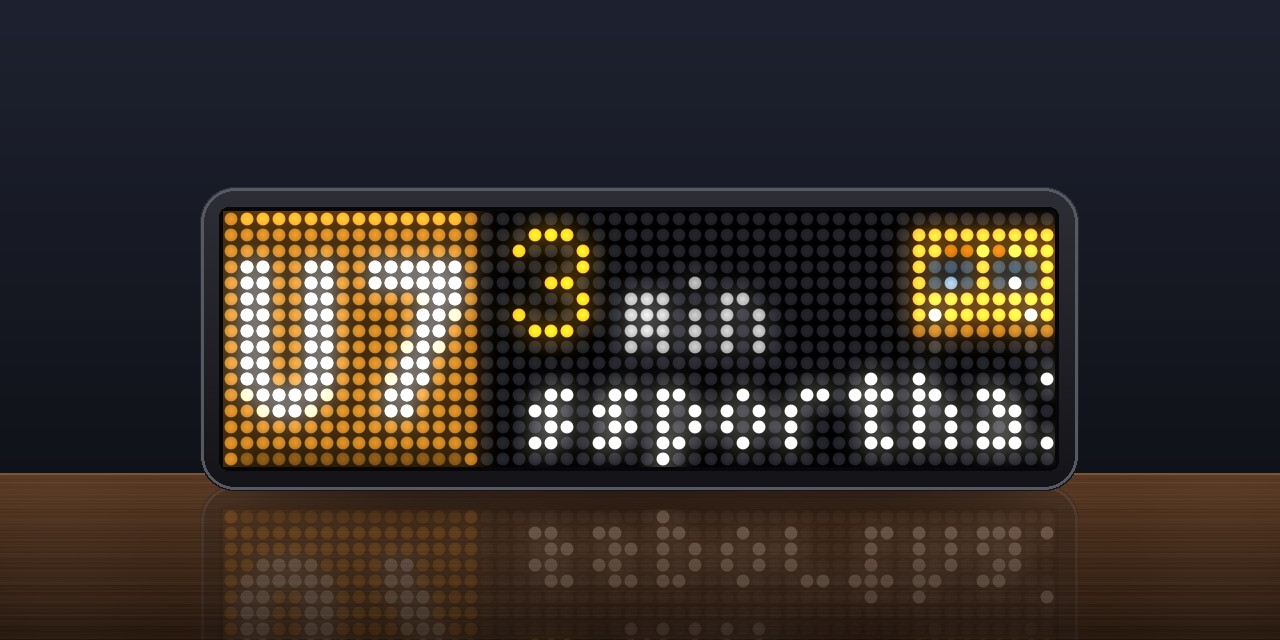
- One at a time, large: one departure per page, readable from across the room: a full-height line badge with tall, rounded letters, large minutes level with "min" and the delay next to them, the destination below, and the vehicle seen from the front (train, ICE, underground train, tram or bus in the line's colour). Its destination display runs and its headlights shine at night and when it leaves soon; it comes closer as the app appears and drives away into the distance when it leaves.
- Lines at a glance (press the knob): each line and direction once, with its next three times,
S5 Bad Homburg 3' 13' 23'. - Zoomed out (turn the knob left at the top of the list): a timeline of the departures, its scale fitted to them, each a mark in its line's colour.
- LOS! When it is time to set off and the app is on screen, a pulsing red band counts down the time left (
LOS! 3:42). - Platform in front of the destination (
Gl.5, a change in orange), notices about works or diversions after it (the badge gets an orange corner), the train number of long-distance trains (ICE 579) and, if you like, a few stops on the way (über Langen, Egelsbach). - Destinations kept short (
Südbahnhof→Südbf), your own town left out. - A bar along the bottom row shows for a moment where you are in the list after a turn of the knob; when the app appears, the minutes count up and the timeline's dots slide in.
On both
- Timeline in the bottom pixel row: 1 pixel = 1 minute, every departure is a dot in its line colour (not in the large one-at-a-time view).
- Line badges in the official line colours; where the data has none, by kind (S-Bahn green, U-Bahn blue, tram red, bus purple). Colours too dark for LEDs are made brighter, very light ones slightly darker.
- Minutes turn red / orange / green relative to your walking time. Minutes from the timetable alone (no real-time data) are grey-white; when no new answer has come for a few minutes (no connection), all minutes turn grey.
- More than an hour away: the time of day (
05:12) instead of the minutes, so at night you see when the first train goes. - Long destinations scroll to the end; the app moves on only after they could be read.
- After you set a new stop, the clock shows once which stop it found ("Gefunden" / "Found"); on the TC002 with a map pin and the town above the stop's name.
- Clear status messages instead of an empty screen: no connection, too many requests, stop not found, no stop set, or no matching departure (with a list of what was seen).
Setup
- Install the script, then open the Apps tab and click the gear icon next to Abfahrt.
- Stop: type the name of your stop, e.g.
Frankfurt HauptwacheorOffenbach Marktplatz. The script looks up the stop ID by itself and only considers stops served by your Transport modes. For a stop served only by buses, addBUSthere first. You can also paste a MOTIS stop ID (e.g.de-DELFI_de:06412:1). On the TC002, if the name matches several stops, the clock asks which one: turn the knob through them, with their town, and press it (or SELECT) to take one; after 30 s it takes the first. - Optional, Only lines: line filter, comma-separated, e.g.
S5, U3. A bus line can be given by its number, e.g.30. - Optional, Only towards: destination filter, comma-separated, e.g.
SüdbahnhoforBad Vilbel, Friedberg. With Check stops on the way switched on, trains that only pass through your destination are shown too (e.g. an S6 to Friedberg via Bad Vilbel). Both filters can be combined. - Optional, Walking time: hides departures you can no longer catch.
Other settings
| Setting | Meaning |
|---|---|
| Transport modes | MOTIS modes, e.g. add BUS. Also used to find your stop |
| Leave reminder | With a walking time: this many minutes before you have to leave, once per departure. TC001: the app comes to the front. TC002: a notification over any app with a gong (see below), the minutes of that train blink, and LOS! counts down. 0 = off |
| Reminder sound (TC002) | Off, a gong, or a gong and the departure read aloud (in English) |
| Reminder as notification (TC002) | On (default): the reminder shows over any app, and a second notification follows if that train is then cancelled or 5 minutes late. Off: the app comes to the front instead |
| Nearby stops (TC002) | Also departures from stops this many metres away, e.g. the tram stop across the road. 0 = only your stop |
| Departures | Departures per turn (TC001: 1–5, TC002: 1–10) |
| Minimum per line / row | Seconds each line stays at least |
| Scroll speed | Speed of long destinations |
| Large minutes / Timeline | Big digits, timeline row |
| Shorten destinations | Hauptbahnhof → Hbf, Straße → Str., drops S+U and additions in brackets. TC001: also drops your own town and "Bahnhof". TC002: Bahnhof → Bf, Südbahnhof → Südbf |
| Language | On-screen words: de (jetzt, fällt aus) or en (now, cancelled) |
| Days, From / Until | When the app shows and loads departures, e.g. Mon–Fri from 6 to 9. A window like 22 to 2 spans midnight |
| Public holidays (TC002) | The German public holidays of a state count as Sundays for the days. TC001: public holidays are not recognised |
| Refresh | How often departures are loaded while the app is on screen |
| Layout (TC001) | board or compact |
| One at a time, large (TC002) | One departure per page in large type, see above |
| Page change (TC002) | flap (split flaps, default) or roll (the rows roll up) |
| Hide own town (TC002) | At a stop in Frankfurt, Frankfurt (Main) Hausen → Hausen |
| Via stops (TC002) | off, 2 or 4 stops on the way after the destination. The answers get about ten times larger |
| Train number (TC002) | ICE 579 in front of the destination of long-distance trains |
| Platform (TC002) | The platform in front of the destination, where the data has it |
| Disruptions (TC002) | Notices about a line run after its destination |
| Hide when nothing within (TC002) | The app is hidden while the next departure is further away than this. 0 = always show |
Buttons and knob
- TC001: Middle: reload now · Left / Right: previous / next departure
- TC002: SELECT: reload now · Left / Right: switch apps, as usual · Knob turn: through every departure loaded; turned left at the top: zoom out to the timeline, right to zoom back in · Knob press: lines at a glance, again: the board · Knob hold: board or one at a time, large
Good to know
- Outside the days and hours you set, the app is hidden and makes no requests.
- Requests: every minute (the Refresh setting) while the app is on screen or a leave reminder is due, every 5 minutes otherwise, and at once when it comes back on screen.
- The stop that was found is remembered. Changing the stop or the transport modes looks it up again. If Transitous no longer knows the stop's ID (when a timetable dataset is renewed), the stop is looked up again by its name.
- The TC001 version is built to fit ESP32 clocks without PSRAM (96 KiB for scripts). If saving fails with "not enough memory", restart the clock and save again.
- The TC001 version reads about the next 4 departures per update, the TC002 version up to 20. If a filter leaves too few, both load up to two more batches.
- The TC002 reads every departure with a JSON parser, so names with quotes and notices with line breaks come out right. Trains you cannot board at your stop are left out, and a notice "no service" counts as a cancellation.
- If memory gets tight while a response arrives, the script halves its buffer and retries, then grows it back.
- If Transitous answers "too many requests", the app keeps the departures it has and waits 5 minutes before asking again.
- "No matching departure. Seen: …" lists the lines and destinations that were found, so a typo in a filter is easy to spot.
- On the TC001, with a new destination filter some departures appear after a few seconds, because the script first checks which lines pass your destination. The result is remembered. The TC002 checks this in the same request, without delay.
- For other apps (TC002): the next departure as
abfahrt.line,.to,.min,.delay,.leave(minutes until you have to set off) and.timein the shared values, e.g. for a lamp in Home Assistant.
Data: Transitous. Sources and licences: transitous.org/sources. Please respect the usage policy.
Credits
- Thanks to hi2hello and their app Abfahrt: the schedule (days, from / until), the leave reminder and showing the stop that was found were inspired by it.
Sign in to view and copy the code of this script.
Discussion 6
Ask a question, suggest a change or share how you use it.
Newest first
Hi Sineiko, Thanks for reporting this, and sorry for the trouble! I know this problem: on the TC001 the script is simply too big to compile once the memory is a bit fragmented, so restarting alone often doesn't help. I'm working on a proper fix with a leaner version that uses less RAM. Until then, I've uploaded an new Abfahrt 4.4 version for the TC001 . It's an extremely compact build with the same features and settings, and it should install fine. Best way: restart the clock, save it right away. If it still fails, please post the exact error message from the Scripts tab and I'll look into it.
20:46:43 [script:Abfahrt-Live-Departures] vm heap +1491 bytes (shared 32823), free heap 58704 -> 56096, max block 23540 20:46:43 [script:Abfahrt-Live-Departures] install low-water 35808 bytes 20:47:16 [script:Abfahrt-Live-Departures] vm heap +1207 bytes (shared 32989), free heap 56196 -> 54444, max block 40948 20:47:16 [script:Abfahrt-Live-Departures] install low-water 33260 bytes ERR:Abfahrt-Live-Departures - out of memory I tested with 4.4
Hi @aljoschairmer, when I first saw your app, which basically does the same thing as my app “Abfahrt”, I was a bit surprised. But since yours was built for the TC-001, I thought it filled a different gap — even though using “nearly” the same name still felt a little too much like a strange coincidence. I had originally planned to build a TC-001 version as well, but since you got there first, I dropped that idea and focused instead on refining my TC-002 version. Then you released a TC-002 version too. Fair enough — just a few days after mine. What I find difficult to accept, though, is seeing features appear in your app only hours after I release them, and a layout that has become almost identical to mine in an increasing number of details. Even parts of your app’s description text look rather familiar. And yes, I can back that up. At that point, this goes well beyond coincidence and, in my opinion, crosses a line in terms of style and respect. So please do us all a favour and stop copying other people’s work this closely. Behaviour like this can easily discourage people from publishing their projects on the Hub at all — and that ultimately hurts the whole community. Regards, hi2hello
Hi @hi2hello, honestly, I'm just as confused as you are. I was really surprised myself that we both uploaded basically the same app on the same day, 19 Oct. According to the "All scripts" overview on awtrix.de, mine actually went up a little earlier. Here's how mine came about. On the morning of 19 Oct I had to look into the DB / German public transport data for work (OpenData ÖPNV / DB Timetables API) and Transitous. That evening I turned it into a small departure app for my own TC001. My first version was simply called "Abfahrt", because that's the German word for departure. I only renamed it to "Abfahrt – Live Departures" when I added English support. That same evening it went through several more versions: board layout, timeline, destination filter with stops on the way, the slim build for clocks without PSRAM, and so on. So it is not a copy of your app. It was built on its own, and I'm happy to show you the version history if you want to see it. A TC002 version was planned from the start. I just wanted to get the TC001 version finished first, especially because I don't own a TC002 myself and can't test on one. What I do want to be upfront about: I only noticed your app yesterday, and since then I've added a few features to mine that I found really useful in yours: - a schedule (days of the week plus from/until hours; outside that window the app is hidden and makes no requests) - a leave reminder that brings the app forward a few minutes before you need to leave - showing the stop that was found after looking it up by name That's on me. I should have asked or at least credited you, and I'll add a credit to my description. I've also already replaced the TC002 layout in my cover.gif that looked similar to yours. In the TC002 app itself, I'll add a layout option: my original layout becomes the default again, and the newer one is only available if you pick it. If you'd rather I drop the newer layout entirely, just say so. The description is based on my own feature list. If specific sentences read too much like yours, just point me to them and I'll rewrite them. I really don't want this to discourage anyone from sharing on the Hub. If you'd like anything else changed, e.g. the name so the two apps are easier to tell apart, let me know and we'll sort it out. One honest question at the end: do you happen to build your apps with Claude as well? I did. With the timing, the name and the layout lining up this closely, that would explain a lot. Cheers, Aljoscha
Hi @aljoshairmer, thank you for your kind and honest reply. As Oscar Wilde famously put it: “Imitation is the sincerest form of flattery.” I received my TC-002 in early October, and “Abfahrt” was the first app I coded for it — with the help of Claude, as stated in the script, and initially just for my kids. A few days later, after realizing the huge possibilities AWTRIX NG offers on the new clock, it started evolving into a more modular concept based on the idea of API plugins. The creator of the firmware, @blueforcer, kindly asked me to rethink the way I was releasing the individual modules, as they were intended to be used differently — and, to be fair, having multiple apps with the same name in the Hub wasn’t exactly user-friendly either. So I reworked the app, removed the original version(s), and released a new one that included the service providers in a single app. The name “Abfahrt” was pretty much settled right from the start of the project. It simply came to me out of the blue and felt like a natural fit for an app showing information about German public transport. Then I came across your TC-001 app. I really like the way you solved several things on the little display, especially how you managed to handle API calls within the very limited resources of the ESP. That is also one of the main reasons why I won’t release a native TC-001 version myself, even though I had already started working on one. Personally, I feel its hardware limitations are simply too restrictive for what I would want the app to do. I am, however, working on a solution involving Home Assistant. For the TC-002, I still have several ideas in the pipeline. Feel free to have a look at them and take inspiration from anything you find useful. If something is based on my work, just give credit where it’s due — and I’d also appreciate it if the overall look and layout remained distinct rather than becoming too similar. Happy coding, hi2hello
More scripts in Miscellaneous
Something wrong with this script? Report it.
Have an idea?
Sign in to ask questions and join the conversation.