MUSIC ASSISTANT Now Playing (pushed app, with album art)
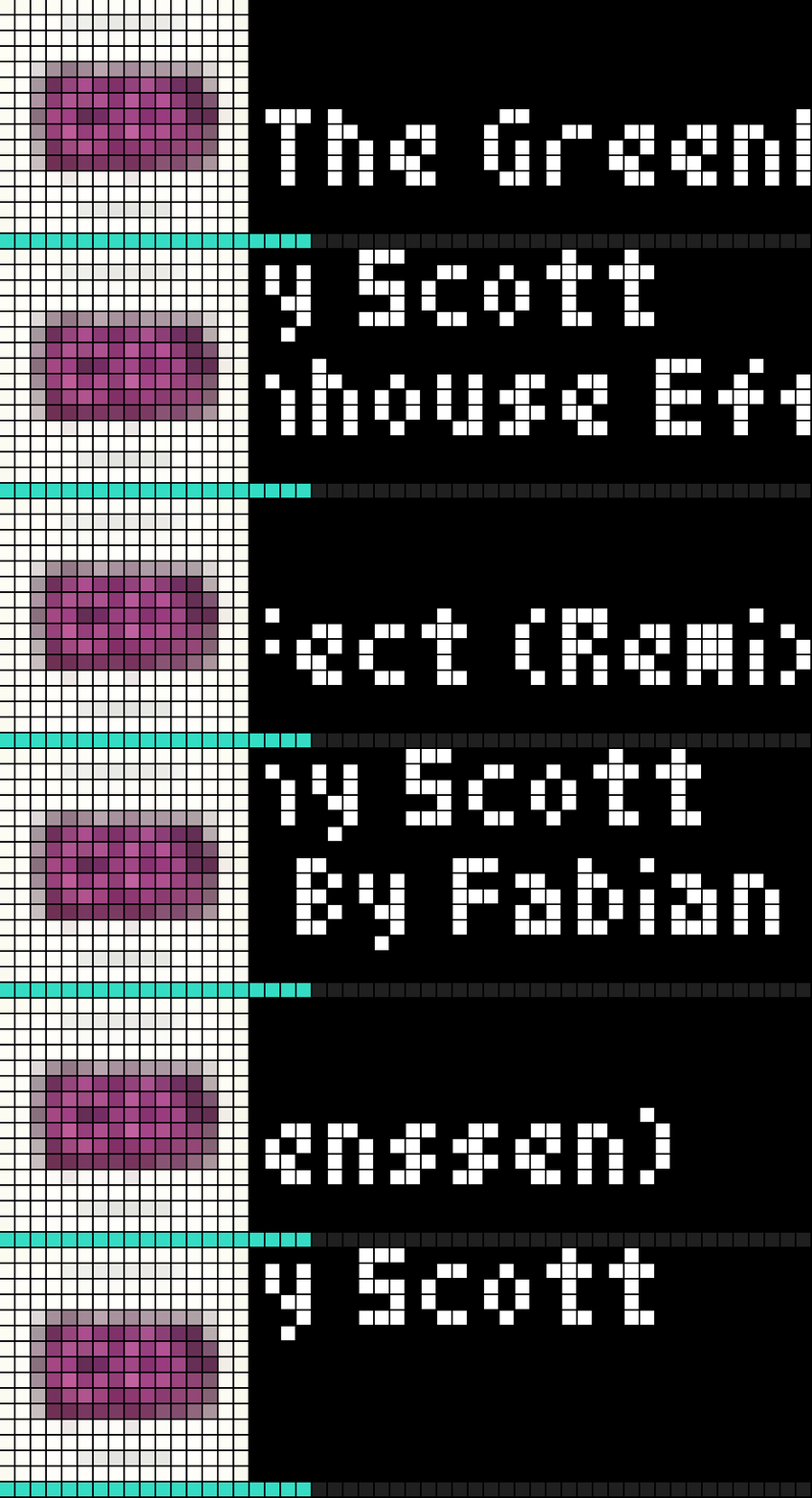
On your display
This blueprint shows artist and title on two lines, album art and a progress bar for a **Music Assistant** media_player entity on an AWTRIX TC002 .
- Topic
- Smarthome
- Includes
- Script
Runs on
- Does not run on 32×8 (TC001 & DIY) Made for 52×16 (TC002).
- Runs on 52×16 (TC002)
- Does not run on 32×8 with AWTRIX 3 (TC001 & DIY) Made for AWTRIX NG.
Choose your display in the next step.
Script description
AWTRIX TC002 - Now Playing (pushed app, with album art) — Home Assistant Blueprint
What it does
This blueprint shows artist and title on two lines, album art and a
progress bar for any media_player entity on an AWTRIX TC002 (52×16),
sent as a pushed app over MQTT using AWTRIX's native layout feature.
No Berry script needed on the clock itself.
Requirements
- An AWTRIX TC002 clock, flashed to AWTRIX NG firmware, with MQTT
configured. - Any media_player entity in Home Assistant that exposes the standard
media_title/media_artist/entity_pictureattributes — Music
Assistant, Sonos, a Denon receiver, Chromecast, etc. all work.
Installation
- Import the blueprint into Home Assistant:
Settings → Automations → Blueprints → Import blueprint, and paste the
raw URL oftc002_now_playing_pushed.yaml(see attachment). - Create a new automation from this blueprint.
- Pick your media_player entity.
- Enter your TC002's MQTT prefix (found under System → MQTT in the
clock's web UI). - Pick an app name (letters, digits,
_and-only) — this is the name
the app appears under in the clock's rotation. If you also run the
older Berry-script version of "Now Playing" on the same clock, use a
different name here so the two don't collide. - Optionally enter your Home Assistant base URL (e.g.
http://192.168.1.10:8123, no trailing slash) if you also want to show
album art — leave it empty if you don't want album art. - Save. Note: on some Home Assistant setups a new automation doesn't
become active until Home Assistant is restarted (reloading automations
isn't always enough) — if nothing appears on the clock once something
is playing, try a restart.
How it works
- When playback starts, the automation publishes a single MQTT message to
<mqtt_prefix>/cmd/apps/pushed/<app_name>, using AWTRIX'slayout
feature: a 16×16 box for the album art (or a plain colored square if no
art is available), a box for the artist, a box for the title below it,
and a progress bar spanning the full width at the bottom. - A tick every 15 seconds keeps the progress bar updated.
- When playback stops, an empty message is sent, which removes the pushed
app from the clock (AWTRIX NG's default behavior). - Missing data (e.g. no title/artist for a radio station, no album art, no
progress info for a livestream) is handled gracefully: the clock then
shows "...", a plain colored square instead of art, or no progress bar —
instead of breaking.
License
Free to use, no license.
Changelog
- 2026-10-24 — Fixed a bug where the display fell back to a
single-line, double-size rendering (the oldenlargeAppsquirk) on
some setups: the published version was missing thelayoutblock that
makes AWTRIX always render at the full 52×16. Also removed the
Music Assistant-only entity filter, so any media_player entity can be
picked now. Thanks to strusic for reporting both issues and confirming
the fix.
Built by Freddy Stapersma (discocandyproductions) for the AWTRIX
community. Thanks to Blueforcer for pointing out that this doesn't need a
clock-side script at all — everything here is a plain pushed app using
AWTRIX's built-in icon, progress and layout fields.
Sign in to view and copy the code of this script.
Discussion 4
Ask a question, suggest a change or share how you use it.
Newest first
Thanks for the report! That “one line / 32×8-ish” symptom is the classic enlargeApps double-size quirk i guess but this blueprint sends a layout payload, which AWTRIX always renders at the full 52×16 regardless of enlargeApps. Since you modified it for other media_player entities, could you share the exact MQTT payload it’s sending (or the modified automation)? My first guess is the modification dropped the layout structure in favor of plain text/icon keys, which is why it’s falling back to the 26×8 grid. but other than that no idea. it works on my side and a few others that told me.
You need to update the script here. I told you on discord topic
Changelog 2026-10-24 — Fixed a bug where the display fell back to a single-line, double-size rendering (the old enlargeApps quirk) on some setups: the published version was missing the layout block that makes AWTRIX always render at the full 52×16. Also removed the Music Assistant-only entity filter, so any media_player entity can be picked now. Thanks to strusic for reporting both issues and confirming the fix.
Have an idea?
Sign in to ask questions and join the conversation.