Birthdays
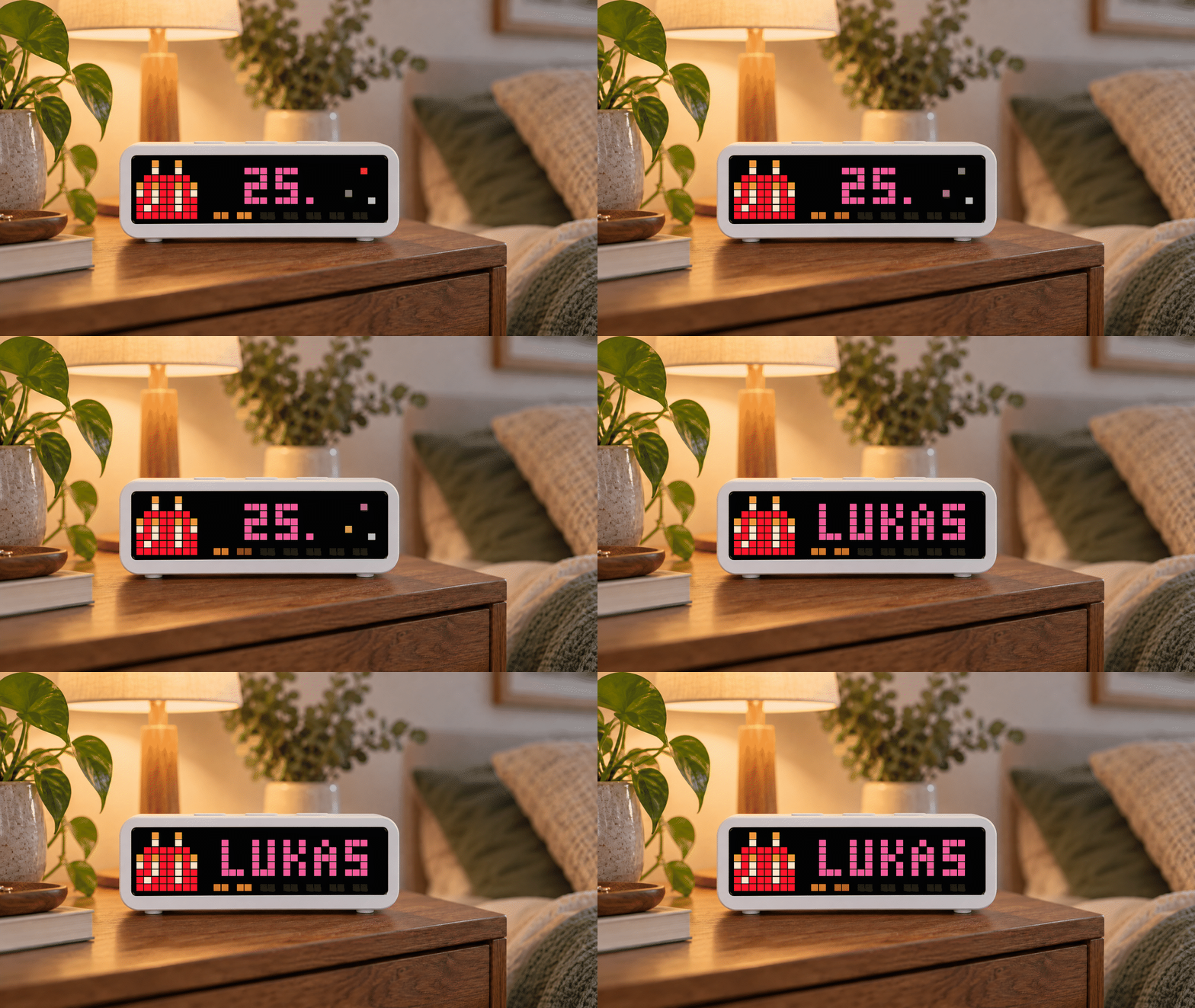
On your display
Shows upcoming birthdays with age, cake, countdown bar and optional rainbow text.
- Topic
- Social
- Includes
- Script · 1 icon
Runs on
- Runs on 32×8 (TC001 & DIY)
- Runs on 52×16 (TC002)
- Does not run on 32×8 with AWTRIX 3 (TC001 & DIY) Made for AWTRIX NG.
Choose your display in the next step.
Script description
Birthdays for AWTRIX NG 🎂
Never miss an important birthday again.
Birthdays turns your AWTRIX NG into a colorful birthday reminder. It shows the birthday cake, the age the person will turn and an animated seven-day countdown. Afterwards, the name appears clearly on the full display — with an optional rainbow celebration on the big day. 🌈
Features
- 🎂 Configurable local 8×8 icon with a built-in birthday cake fallback
- 🔢 Shows the age the person will turn
- 📅 Upcoming birthdays appear up to 30 days in advance
- ⏳ Animated seven-segment countdown bar
- ✨ Decorative sparkle animation during the age intro
- 🏷️ Clear name display with scrolling for longer names
- 🌈 Optional rainbow animation on the birthday
- English app settings and script comments
- 🇩🇪🇬🇧 German and English birthday editor
- 🗓️ Configurable handling of 29 February in non-leap years
- 📝 Browser-based birthday editor with JSON and CSV import
- 💾 JSON backup and ready-to-use Berry module export
- 🔒 Birthday data stays in your browser and on your AWTRIX
- 📡 No server, cloud account or external API required
Setup
The Hub installs the main app script. Your personal birthday list is stored separately in a local AWTRIX module named birthday_data.
- Open the AWTRIX Birthday Editor.
- Add birthdays manually or import a JSON/CSV file.
- Download the generated
birthday_data.berrymodule. - In the AWTRIX NG web interface, open Scripts → Modules, create a module named
birthday_data, paste the file contents and save it. - Install or reload Birthdays from the Hub.
The hosted editor cannot reliably send data directly to a local HTTP device from an HTTPS page. For direct transfer, download the offline editor from the page and run it locally. Manual module installation always remains available.
Icon selection (version 4.6.4)
The default icon is now birthdaycake-2, the animated Birthdaycake icon by Mumpitz from the AWTRIX Hub. The script declares it with # @icons birthdaycake-2, so the Hub can install it with the app when your AWTRIX Hub connection is configured. You can also install it directly from the icon page.
For manual installation, download birthdaycake-2.gif from GitHub, upload it through the Icons tab on your AWTRIX and keep the file name birthdaycake-2.gif.

Open Apps → Birthdays → ⚙ → Icon ID to choose a different installed 8×8 icon without its file extension. Choosing an ID does not download a custom icon. Leave the field empty for the built-in cake; it is also used if the chosen icon cannot be drawn, including during scrolling names.
Update the main app script to 4.6.4. New installations use birthdaycake-2 by default. Updates preserve your saved settings: if the field still contains 7020 or another ID, set it to birthdaycake-2 and save to use the new cake. Your birthday_data module stays unchanged.
Source code and installation guide: GitHub project.
App settings language (version 4.6.3)
App setting labels and help text are in English. The previous language selector has been removed because it had no effect: AWTRIX reads the labels from the script header and does not support changing their language through an app setting.
The birthday editor has its own independent Deutsch / English language switch. Existing icon, color, countdown, sparkle, rainbow and leap-day settings keep their values when the app script is updated.
Privacy
Names and dates are processed locally in your browser. They are not uploaded to the editor, this repository or an external service. 🔐
Birthdays are worth remembering — passwords are not. 😉🎉
Sign in to view and copy the code of this script.
Discussion 2
Ask a question, suggest a change or share how you use it.
Newest first
Hi Kelzith, thanks for testing the script and pointing this out! Sorry for the late reply — I only just saw your comment. I've now published version 4.6.4 here and on GitHub. The default icon is now birthdaycake-2, the animated Birthdaycake icon by Mumpitz: https://awtrix.de/icons/birthdaycake-2 The script now declares this Hub icon so it can be installed with the app when your AWTRIX Hub connection is configured. You can also install it from the icon page, or download the GIF for manual installation from GitHub: https://github.com/pacroy9/awtrix-ng-birthdays/blob/main/icons/birthdaycake-2.gif New installations use birthdaycake-2 by default. Updates keep your saved settings, so if Icon ID still shows 7020, change it to birthdaycake-2 under Apps → Birthdays → ⚙ and save. You can also choose another installed 8×8 icon by its ID or name, without the file extension. If you leave the field empty, or the selected icon cannot be drawn, the app uses a built-in cake instead. I've also fixed that fallback during scrolling names. App settings and script comments are now in English. Your birthday_data module stays unchanged. I haven't tested the update on a TC001 myself yet, so I'd love to hear how it works on yours. Thanks again for your feedback! 🙂
Have an idea?
Sign in to ask questions and join the conversation.