LiveScore
On your display
Shows the live score of your favourite football team
- Topic
- News
- Includes
- Script
Runs on
- Does not run on 32×8 (TC001 & DIY) Made for 52×16 (TC002). Needs the built-in synthesizer and a voice that reads text aloud.
- Runs on 52×16 (TC002)
- Does not run on 32×8 with AWTRIX 3 (TC001 & DIY) Made for AWTRIX NG.
Choose your display in the next step.
Script description
LiveScore for AWTRIX NG (Ulanzi TC002)
Version 2.6 · by Hank_the_Tank / Claude · for the 52×16 panel of the Ulanzi TC002
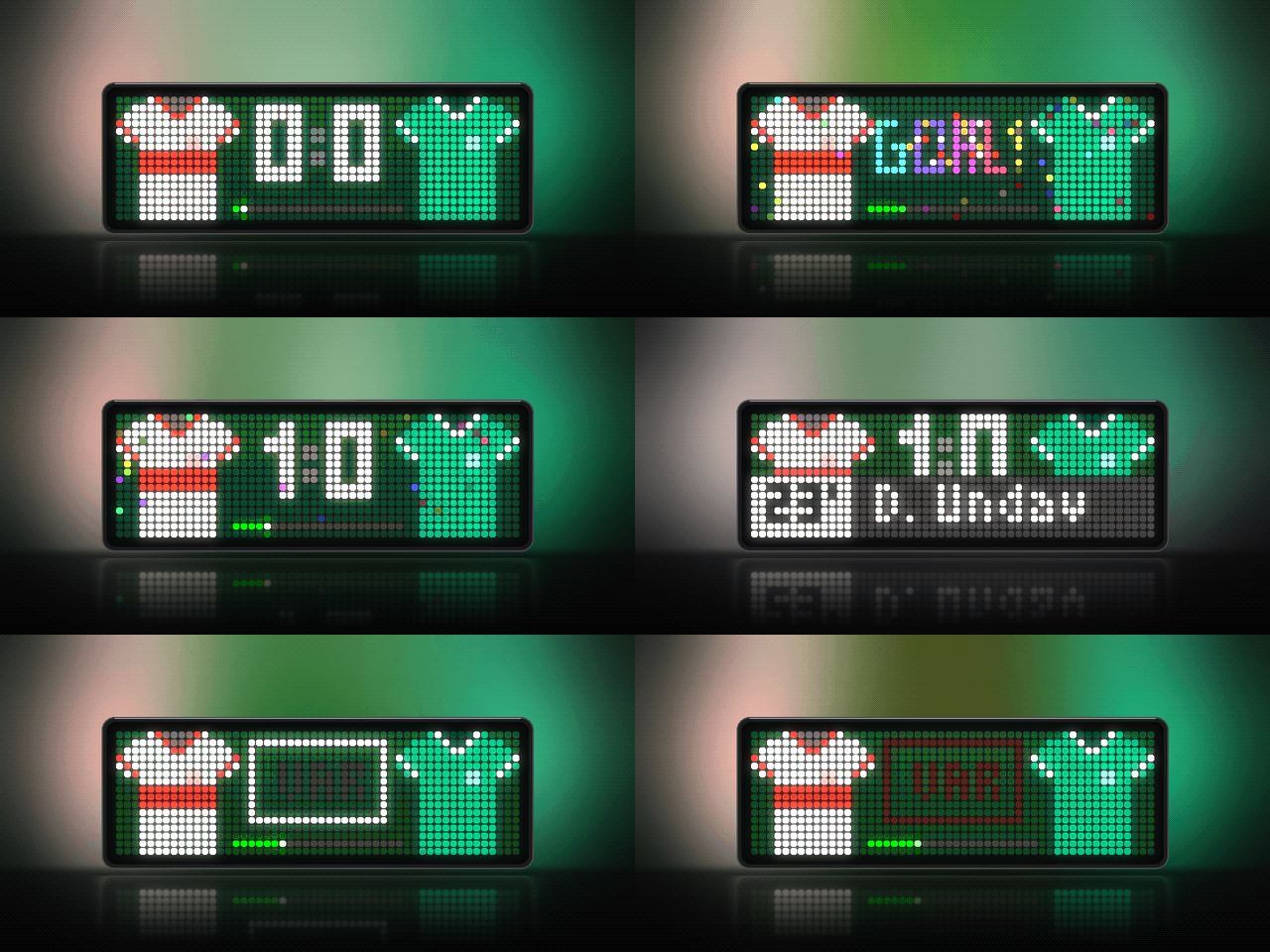
The live score of your favourite football team, with both teams' kits on either side and a bar that fills up with the match time. Every goal gets a celebration: fireworks, confetti and a stadium jingle. The referee's whistle marks kick-off, half-time and full time. The data comes from ESPN's public scoreboard API, so you don't need an API key or an account.
The app only joins the rotation around your team's matches: a preview before kick-off, the live match, and the final score with stats, league position and the next fixture. On all other days it stays out of the way, or, if you like, shows your league position.
┌──────────┬────────────────────┬──────────┐
│   ▄██▄   │                    │   ▄██▄   │
│ ████████ │      2  :  1       │ ████████ │  ← home kit · score · away kit
│   ████   │                    │   ████   │
│   ████   │  ▬▬▬▬▬▬▬▬▬▬▭▭▭▭▭▭  │   ████   │  ← match time (22 cells = 90 min)
└──────────┴────────────────────┴──────────┘
Features
- All competitions. League, cups and European games. The app skips its turn in the rotation until shortly before kick-off.
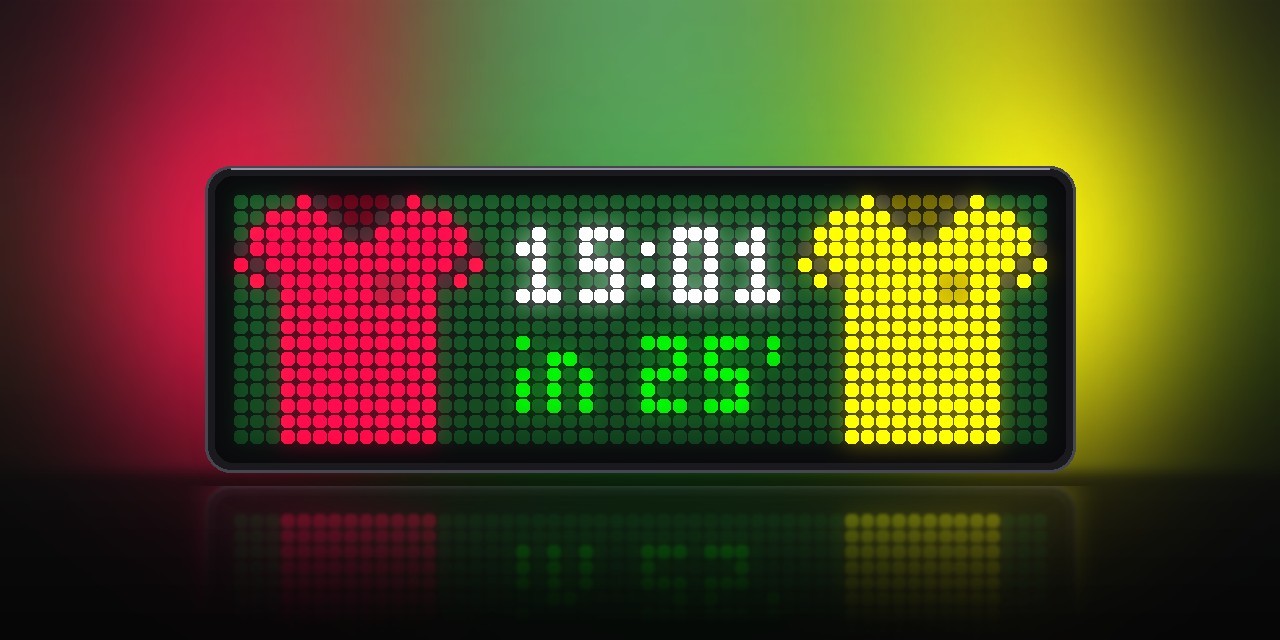
- Preview before kick-off. Up to an hour before (adjustable), both kits fly in with the kick-off time in your local time and a countdown (
in 42', then4:59in the last ten minutes). - Two teams. Follow your club and your national team, for example, each with its own kit settings. The app shows whichever match comes first.
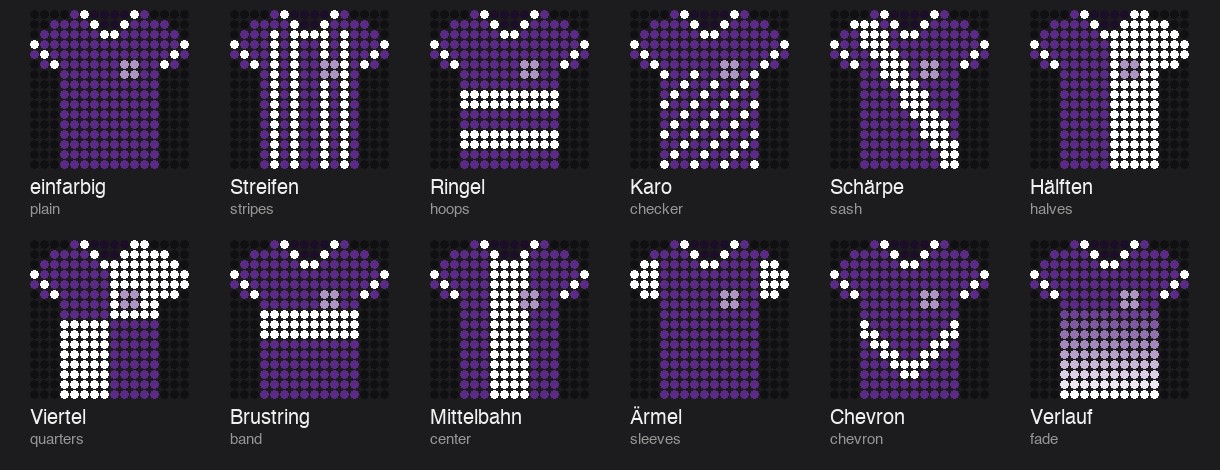
- Both kits. Home left, away right. The opponent wears its ESPN colours; your team uses its ESPN colours or your own colours with one of 12 patterns (stripes, hoops, sash, halves, chevron, fade …). Colours too dark for the LEDs are lightened.
- Big score and match time bar. 6×10 px block digits (narrower for double digits). The bar is green while the match is on, amber at half-time, orange in extra time and grey after the final whistle.
- Animated. The kits fly in, the score drops into place, a shine sweeps across, and the colon and the tip of the bar pulse while the match is live.
- Goal celebration for your team. A flash, your kit jumps, a rainbow GOAL! pops in letter by letter, three fireworks burst in your colours, confetti falls, and the new digit bounces in while a synthesized stadium jingle plays. A goal for the opponent gets a dimmed GOAL and a sad trombone.
- VAR. If a goal is ruled out, the referee draws the VAR screen in the air, VAR turns red and the corrected digit glows red and shakes.
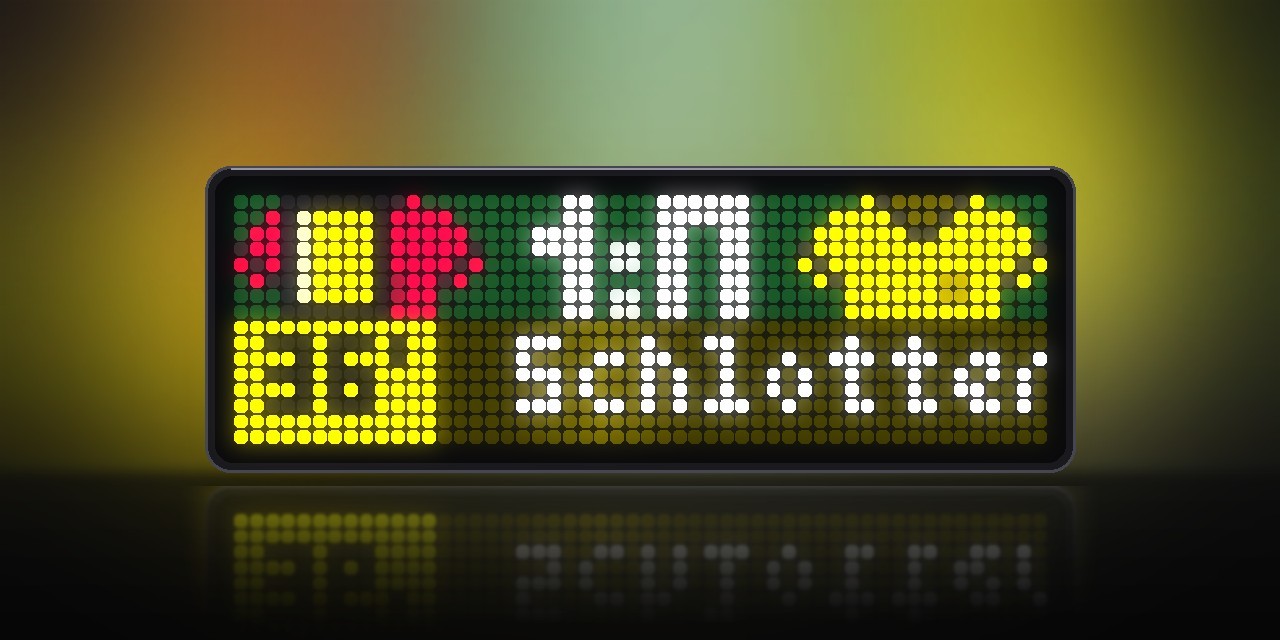
- Goal scorer and card banners. A TV-style banner slides up: the minute in a box in the team's colour and the player next to it (e.g.
89'·M. Merino), with (pen) or (o.g.). For a card, the referee holds up the yellow or red card above the minute. A red card brings the app to the front; a yellow one waits for the app's next turn. Every red card also leaves a small red card on that team's kit. - Browse the match. While the app is on screen, turn the knob (or press left/right) to replay every goal and card as a banner, the latest first.
- Penalty shootout. Every penalty scored adds a green dot under the score. ESPN does not list misses, so only goals are shown.
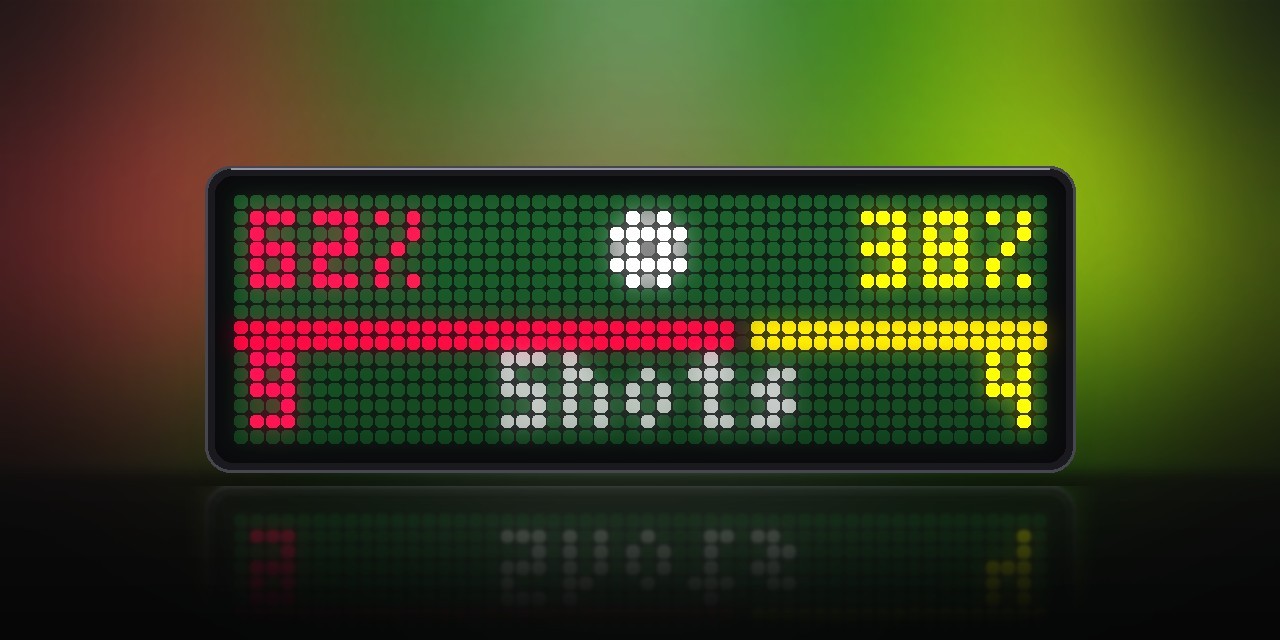
- Half-time stats. The app alternates between the score and a page with possession (a bar in both teams' colours) and shots.
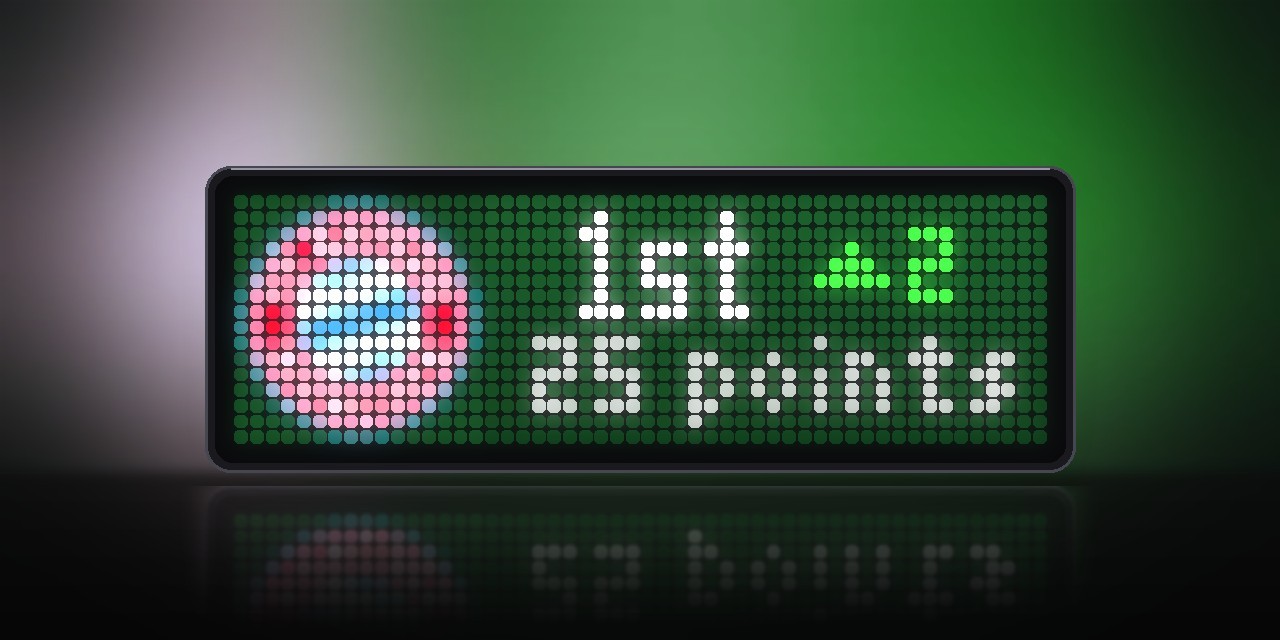
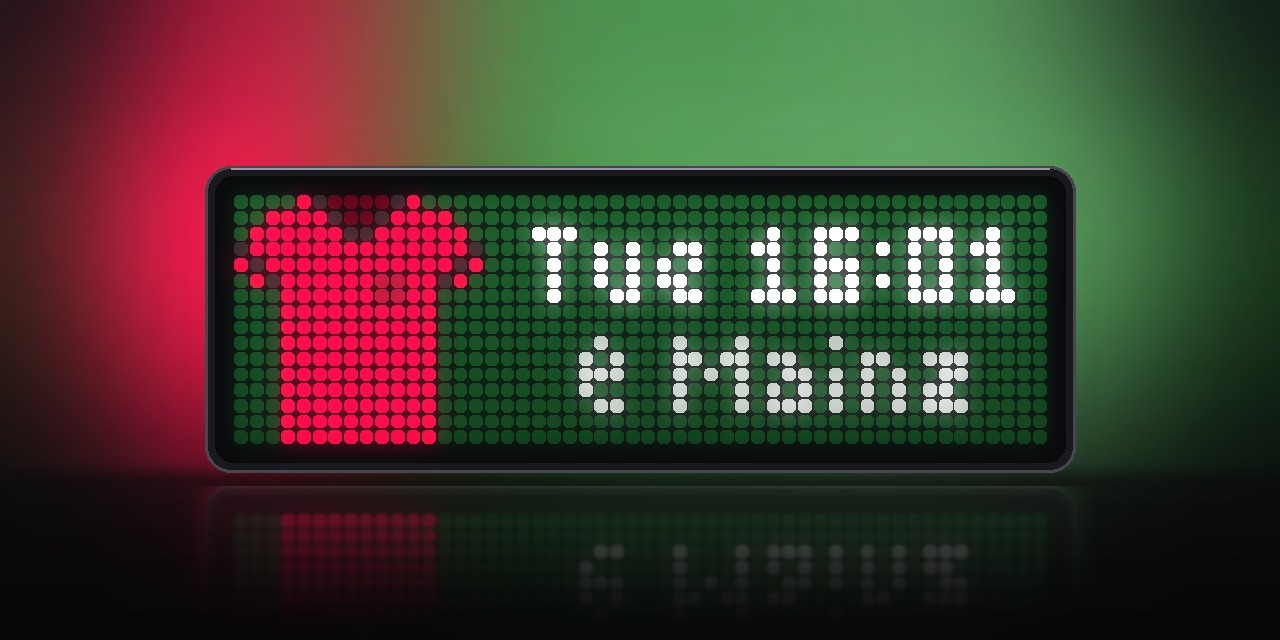
- Final score. It stays in the rotation for 15 minutes. A win brings confetti in your club colours and a victory fanfare; the losing kit is dimmed. The app cycles through the score, the stats, your league position with its change (
Rank 3 ▲2·27 points, leagues only) and your next match (Sat 15:30·@ Mainz). - Referee whistles. One at kick-off and after the break, two at half-time, three at full time.
- Goal announcement. After the jingle, the clock calls out "Goal! Goal! Goal! Dortmund!" (or "No goal!" after VAR). With Language set to
Deutschand a German voice pack on the clock, it calls "Tor! Tor! Tor! Osnabrück!" and uses German names where ESPN has English ones (Cologne → Köln, Netherlands → Niederlande). Voice packs are available in Blueforcer's shop. - League position between matches (optional). Without a match the app stays in the rotation with your kit or club crest, your position in big digits with an arrow for the change since the last matchday (
10. ▲2) and your points. During the preview before kick-off it alternates with the countdown. Switch it off and the app disappears again until the next match. - Quiet hours. No sound between two hours of your choice; the animations still run.
- MQTT for your smart home. Every event is published as JSON, e.g. to flash your lights in your club colours on every goal. See MQTT and Home Assistant below.
- Light on the network. Fixtures every 30 minutes, the score every 30 s while the match is on. Press the middle button to update right away.
Requirements
- An Ulanzi TC002 running AWTRIX NG firmware 1.1.6 or newer (tested on 1.2.3). On older firmware the display works, but sounds and the announcement may stay silent.
- A 52×16 display. The layout is not meant for 32×8 clocks.
- No icons are needed. Kits and digits are drawn in code.
Installation
The easy way (recommended): Send to AWTRIX
- Open this script's page on the AWTRIX Hub.
- Press Send to AWTRIX and choose your TC002 in the next step.
- Done. The app is installed. It stays hidden until your team plays.
Then: make it yours
Open the AWTRIX web interface (the clock's IP address or http://awtrixng-xxxxxx.local), go to the Apps tab and click the gear on the LiveScore row. The one thing you have to set is your team's ESPN ID (see below). Without it you follow Bayern Munich. There you can also add a second team and choose kit colours, language, quiet hours and more (see Settings).
As long as your team isn't playing, you won't see the app. That is intended: it shows up an hour before kick-off.
Updates
New versions are announced on the clock itself once your Hub account is connected:
- In the AWTRIX web interface open System → AWTRIX Hub and enter your Hub connection key. You find it in your Hub account settings (Open Hub account).
- Go to the Scripts tab and press Check for updates. Scripts with a newer version on the Hub are marked there.
Manual installation
Only if you can't use the button:
- Open the AWTRIX web interface and go to the Scripts tab.
- Create a new script called
LiveScore, paste the contents ofLiveScore_share.axand press Save. - Set your team's ESPN ID as described above.
If the panel shows a red ERR:, the error message is shown next to the script in the Scripts tab. Please include it in your feedback.
Finding your team's ESPN ID
Search for your team on espn.com and open its club page. The ID is the number in the address:
https://www.espn.com/soccer/club/_/id/124/borussia-dortmund → 124
Examples: Bayern Munich 132 · Borussia Dortmund 124 · Real Madrid 86 · Barcelona 83 · Liverpool 364 · Arsenal 359 · Manchester City 382.
Settings
All settings are behind the gear on the LiveScore row of the Apps tab, in three groups: My Team, Team 2 and Settings. Saving restarts the app.
| Setting | Default | What it does |
|---|---|---|
| ESPN team ID | 132 (Bayern Munich) | Your team. Set this first. |
| Kit colour / trim / pattern | red / white / plain | Your own kit, used when ESPN colours is off. Patterns: plain, stripes, hoops, checker, sash, halves, quarters, band, center, sleeves, chevron, fade |
| ESPN colours for my team | on | Off: use your own colours, e.g. when ESPN has none for your club |
| Second team + kit settings | empty | Optional second team (e.g. your national team) with its own kit |
| Update during the match | 30 s | How often the score is checked (15–300 s) |
| Show final score | 15 min | How long the result stays. 0 hides the app right away |
| Preview before kick-off | 60 min | When the kits and countdown appear. 0 = from kick-off |
| Stats, table, next match | on | Stats at half-time; after full time also league position and next match |
| League position between matches | off | Shows your first team's position and points when no match is on. Off: the app only appears around matches. Not for national teams |
| Show with the league position | kit | kit or crest: the club crest from ESPN (loaded once through the image service wsrv.nl; your kit is shown until it has arrived) |
| Include friendlies | off | ESPN often doesn't update friendlies live |
| Jump in at kick-off, goals and full time | on | Brings the app to the front for these moments and VAR decisions |
| Browse goals and cards | knob | off, knob, buttons or both. With buttons, left/right don't switch apps while LiveScore shows a match with events |
| Sound | all | off, effects (whistles, jingles), mine (plus announcements for your goals), all (also the opponent's) |
| Language | English | English or Deutsch for texts and announcements. German announcements need a German voice pack |
| Quiet from / until | 0 / 0 | No sound between these hours (e.g. 22 and 7). Same hour = off |
| Score / Match time bar | white / green | Colours of the digits and the bar |
| Background | grass | black, navy, anthracite, grass, bordeaux or petrol gradient |
| MQTT topic | empty | Optional, see MQTT and Home Assistant |
Good to know
- ESPN coverage. Top leagues, second divisions, cups and European competitions are covered well. Lower leagues and friendlies may show up late or not at all.
- Some clubs have no colours on ESPN. VfL Osnabrück, for example, is black on black. Turn ESPN colours for my team off and pick your own.
- The minute is approximate. Between ESPN updates the bar moves on its own and corrects itself at the next update.
- Postponed or cancelled matches are skipped, and so is a match that hasn't kicked off four hours after its planned start.
- League position appears only when ESPN has a table and has counted the match. The app asks for up to ten minutes after the final whistle.
- The app sends the user agent
curl/8.7.1, because ESPN rejects some others with 403 Forbidden.
MQTT and Home Assistant
On every event (kick-off, goal, card, VAR, full time …) LiveScore sends a short JSON message to your MQTT broker. It doesn't control any lights itself: it reports "goal!", and you decide in Home Assistant (or Node-RED, ioBroker …) what happens. The feature is off until you enter a topic.
Setup
- Connect the clock to your broker: in the web interface open System → MQTT, switch on Enable MQTT and enter Broker host, Broker port (usually
1883), Username and Password. Connection should then read Connected. The Topic prefix there does not apply to LiveScore. - Enter a topic in LiveScore: Apps tab → gear → MQTT topic, e.g.
awtrix/livescore. It is used exactly as typed (case matters). - Check: in Home Assistant open Settings → Devices & services → MQTT → Configure, Listen to a topic. Messages arrive while your team plays.
The messages
{"event":"goal","home":"Osnabrück","away":"Kaiserslautern","score":"1:0","team":"Osnabrück","mine":true,"color":"#8A3AFF"}
event |
When | Extra fields |
|---|---|---|
kickoff, halftime, restart |
Whistles | – |
goal |
Right when a goal is detected | team, mine, color |
scorer |
Once ESPN names the player | team, mine, color, minute, player |
var |
A goal was ruled out (team = whose goal) |
team, mine, color |
yellow_card, red_card |
Booking or sending-off | team, mine, color, minute, player |
penalty |
Penalty scored in the shootout | team, mine, color |
fulltime |
Final whistle | result: win, draw or loss (for your team) |
Every message also has home, away and score. mine is true when the event is about your team. color is that team's kit colour as #RRGGBB, brightened for lamps.
Example: lights flash in your club colours on every goal
Settings → Automations & scenes → Create automation → ⋮ → Edit in YAML, paste this and replace the topic and light.living_room:
alias: LiveScore – my team scores
mode: single
triggers:
  - trigger: mqtt
    topic: awtrix/livescore
conditions:
  - condition: template
    value_template: "{{ trigger.payload_json.event == 'goal' and trigger.payload_json.mine }}"
actions:
  - action: scene.create            # remember the current light
    data:
      scene_id: before_the_goal
      snapshot_entities:
        - light.living_room
  - repeat:                         # flash three times in the club colour
      count: 3
      sequence:
        - action: light.turn_on
          target:
            entity_id: light.living_room
          data:
            rgb_color: >-
              {{ [trigger.payload_json.color[1:3] | int(base=16),
                  trigger.payload_json.color[3:5] | int(base=16),
                  trigger.payload_json.color[5:7] | int(base=16)] }}
            brightness: 255
            transition: 0
        - delay: 0.5
        - action: light.turn_off
          target:
            entity_id: light.living_room
          data:
            transition: 0
        - delay: 0.5
  - action: scene.turn_on           # back to how it was
    target:
      entity_id: scene.before_the_goal
Test it without a match: under MQTT → Configure → Publish a packet, send the goal message above to your topic. The lights should flash purple three times. If nothing happens, the automation's ⋮ → Traces shows where it stopped.
More ideas – change only the condition: a win (event == 'fulltime' and result == 'win'), a red card for your team (event == 'red_card' and mine), VAR ruling out the opponent's goal (event == 'var' and not mine) or kick-off (event == 'kickoff').
Messages are sent whether or not LiveScore is on screen, also during quiet hours, and are not retained.
Changelog
- 2.6 – Preview with kick-off time and countdown. VAR animation. Penalty shootout dots. Half-time stats. After full time: confetti and fanfare for a win, dimmed loser kit, league position, next match. Red cards stay on the kit. Browse goals and cards with the knob or buttons. Second team, quiet hours, MQTT events, Language setting (English/German). Optional league position between matches. The background gradient is gentler, so the bottom rows no longer go dark. Two goals or several cards between two updates are no longer lost. Fixes: the opponent's name could be "Goals" before kick-off; club names without umlauts (Osnabruck, Koln …) are now shown and announced correctly, and in German English club and country names are replaced (Cologne → Köln).
- 2.5 – Taller goal and card banners, so descenders in player names are no longer cut off.
- 2.4 – Card banners with an animated card. Background setting with five gradients.
- 2.3 – Goal scorer banner (idea from a LiveScore user).
- 2.2 – Cleaner digit 1.
- 2.1 – Eight new kit patterns. Safer goal detection.
- 2.0 – Animations, goal celebration with fireworks and stadium jingle, referee whistles.
- 1.1 – Spoken goal announcement.
- 1.0 – First release.
Sign in to view and copy the code of this script.
Discussion 0
Ask a question, suggest a change or share how you use it.
No comments yet. Start the conversation.
Have an idea?
Sign in to ask questions and join the conversation.