GitHub Followers
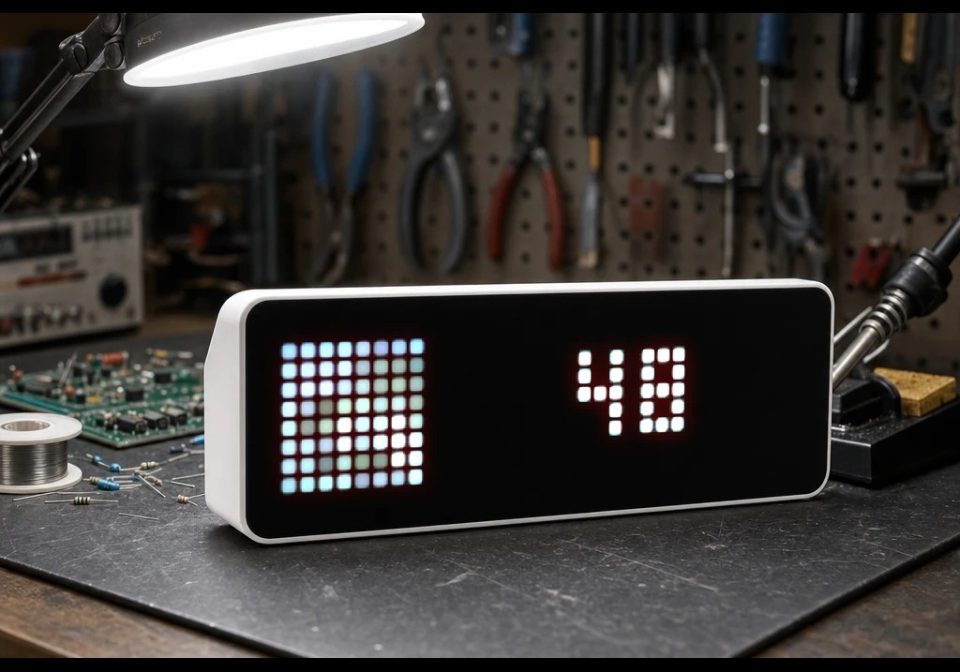
On your display
Your GitHub follower count on the panel.
- Topic
- Social
- Includes
- Script · 1 icon
Runs on
- Runs on 32×8 (TC001 & DIY)
- Runs on 52×16 (TC002)
- Does not run on 32×8 with AWTRIX 3 (TC001 & DIY) Made for AWTRIX NG.
Choose your display in the next step.
Script description
Your GitHub follower count on the panel.
Setup: add a personal access token (github.com → Settings → Developer settings → Personal access tokens) to raise the rate limit from 60 to 5 000 requests/hour; the username always picks the account, so it works for any user.
Press the select button for an instant refresh.
Heads-up: without a token GitHub allows 60 requests/hour, so don't set the refresh interval too low. A token is stored in plain text on the clock — use one with minimal scope that you can revoke.
| Setting | Value |
|---|---|
| Username | GitHub username |
| (Optional) Token | Personal access token; raises the rate limit from 60 to 5000/hour |
| Use Avatar | Show the GitHub avatar as the icon (needs Worker URL) |
| (Optional) Worker URL | Image-proxy worker endpoint; used when Use Avatar is on |
| (Optional) CF Access Client ID | For a Cloudflare Access-protected worker |
| (Optional) CF Access Client Secret | For a Cloudflare Access-protected worker |
| Icon ID | LaMetric icon ID (default 71442); fallback when Use Avatar is off |
| Refresh | Refresh interval in minutes |
Your avatar is a full-color image; the panel shows it as an 8x8 icon via the image-proxy worker. To turn it on, set Use Avatar and paste your worker URL into Worker URL — the app pulls the avatar URL out of the GitHub response itself, so no further config is needed.
Image Proxy Worker — awtrixng-image-proxy-worker
The scripts that show an avatar need two pieces: an image URL and something to shrink it to the panel's 8x8 grid. That's what this worker does.
It's a tiny Cloudflare Worker: give it any image URL, it fetches the image, box-averages it down to 8x8, blends transparent pixels onto the panel's black background, and returns {"data":"<base64>","size":8}. The Berry app wraps that in the data URL data:image/jpeg;base64,<data> and shows it with icon().
There are two ways to call it:
| Method | Body / headers |
|---|---|
GET /?url=<image url> |
Plain convenience for the URL in the query string. |
GET / with an X-Url header |
Preferred from Berry — avoids URL-encoding the target's own query string. |
Deploy it once with bun run deploy (needs bun and a free Cloudflare account), then paste the resulting https://<name>.<account>.workers.dev URL into the Worker URL setting of whichever app is showing an avatar. bun run test runs the offline assertions; bun run dev serves it locally.
Cloudflare Access — if you front the worker with an Access policy, pass the service token credentials through the client_id / client_secret settings of the affected app; the Berry script sends them as CF-Access-Client-Id / CF-Access-Client-Secret, which Access validates at the edge.
Learn more at https://github.com/Golevka2001/awtrix-scripts.
Sign in to view and copy the code of this script.
These icons are attached to the script. Send them to your AWTRIX separately; they are not included in the script installation.

8×8 px
Sign in to download these icons or send them to your AWTRIX.
Discussion 0
Ask a question, suggest a change or share how you use it.
No comments yet. Start the conversation.
Have an idea?
Sign in to ask questions and join the conversation.